LinkedIn Skills: Claude writes your LinkedIn posts in your voice
- GitHub stars
- 4.3K
- LinkedIn skills
- 12
- hook formulas
- 20
You know you should post on LinkedIn, but every draft sounds like a chatbot. These 12 skills interview you once, keep your real stories and numbers, and write posts and comments in your voice. Nothing goes out until you say yes.
What it is
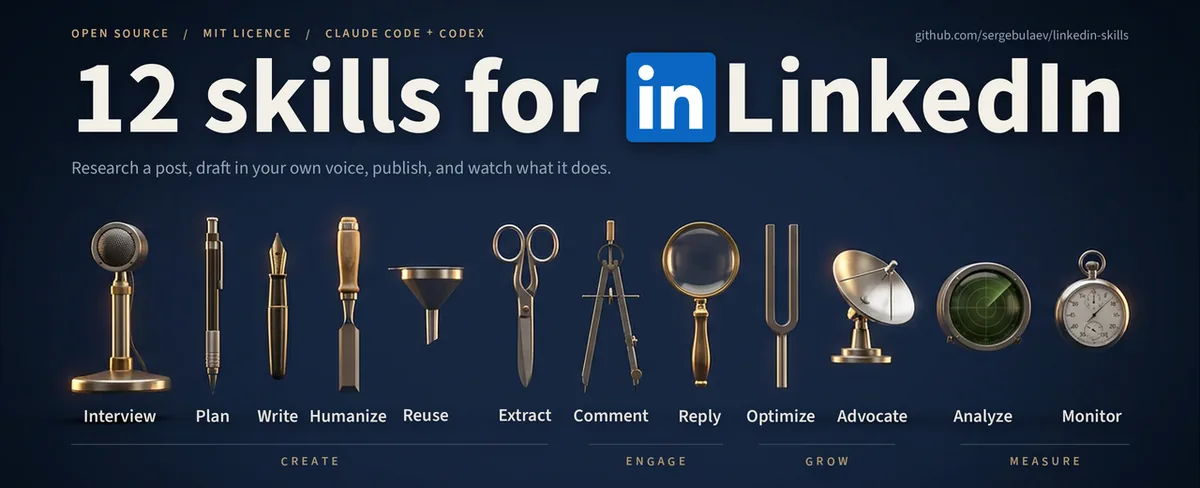
A bundle of 12 skills for Claude Code and Codex. Ask about LinkedIn in plain words and the right skill turns on by itself. Open source, MIT. The ones you will use most:
- Interviewer: asks about your career and keeps a Story Bank with real numbers that every other skill reads.
- Post Writer: drafts posts from 20 hook formulas, picked by what you want the post to do.
- Humanizer: strips AI tells from any text.
- Comment Drafter: writes a comment on any post from its link.
- Content Planner: a 7-day plan with topics, formats, hooks and posting times.
- Profile Optimizer: rewrites your headline, About section and Experience.
Every skill shows you a draft first and waits for your OK. By default you paste the final text into LinkedIn yourself.
Steps
Step 1. Open Claude Code
Open it on your computer. You don't need a LinkedIn connection or any keys to start.
Step 2. Paste the prompt
Claude installs the 12 skills as a plugin and checks that they load. If they need a fresh session, it tells you.
Step 3. Start with the interview
Answer Claude's questions about your work. Your answers go into the Story Bank, and the first post is built on them, not on generic advice.
Copy this into Claude Code
Install the LinkedIn skills from github.com/sergebulaev/linkedin-skills as a Claude Code plugin and check that all 12 skills load. Don't connect Apify, Publora or Pixfaro for now. Then run the Interviewer skill and interview me about my work, so the other skills know my real stories and numbers. After the interview, draft my first LinkedIn post and wait for my OK. If something doesn't install, explain what the problem is and fix it. I'm not a programmer: anything you can do yourself, do it yourself.
Want this working for your business?
- AI agents for your business
- Automations for the work you repeat
- 1:1 consulting calls
Good to know
Auto-post later
Connect Publora and Claude can publish or schedule a post for you after your OK. Their guide says setup takes about 2 minutes.
Read posts by link
With an Apify token, four skills read posts, comment threads and who engaged with a post on their own. Without it, they ask you to paste the text.
On claude.ai too
You can add the same bundle in Claude Desktop or claude.ai under Customize, then Plugins. That needs a paid Claude plan with code execution turned on.
Other networks
The same team ships matching bundles for X, Instagram, YouTube, TikTok, Threads and Facebook.
The honest read
- It writes drafts. Posting stays copy and paste unless you connect Publora, a separate service with its own account.
- Reading posts on its own needs Apify, which bills per result once its monthly credit runs out.
- The Humanizer doesn't promise to beat AI detectors. The authors say no edit reliably does.
- The repo is the open top layer of an agency's stack. The authors build the engine under it for paying clients.
Want this built for your business?
I build AI agents and automations for businesses, and do 1:1 consulting calls. Message me on Instagram with what your business does, and I'll tell you what can be automated.
Message me on Instagram