The prompt behind my code-only motion video
- seconds of video
- 26
- lines in the script
- 12
- formats: 16:9 and 9:16
- 2
Every frame of that video is code. No After Effects, and nobody animated it by hand. Claude wrote it from one prompt, and here is that prompt. Paste it into Claude Code, change the lines to your own, and you get the same kind of video.
What it is
A 26-second kinetic-typography video: bold white type on a near-black background with one accent color, Claude's terracotta.
Claude Code wrote all of it in Remotion, a tool for making videos with code. Every word, shape and camera move is a line of code.
The voice comes from Kokoro, a free text-to-speech model with an Apache-2.0 license. The prompt also asks for the sound effects and a music bed to be made in code.
One prompt covers everything: the look, a 12-line script with an animation for each line, the motion rules, the audio and the order Claude works in.
You get two files from the same timeline: 16:9 at 1920x1080 for a screen and 9:16 at 1080x1920 for Reels, both at 60 fps.
It is built as a template. The script lives in one file, so a new video is new lines and one more render.
Steps
Step 1. Open Claude Code
Make a new empty folder for this video and open Claude Code in it. Claude keeps all the project files in that folder.
Step 2. Paste the prompt
Claude downloads three small files with the exact list of packages, checks them, sets up Remotion and Kokoro inside the folder, writes the video, renders test frames, checks them and fixes what it finds. Before each install Claude tells you what it is and waits for your OK: approve what the prompt lists and say no to anything outside the folder. If Node.js or Python is missing, it asks you to install it from nodejs.org or python.org, like any other app. This takes a while, so let it work.
Step 3. Watch it and ask for fixes
When it's done, it tells you where the two MP4 files are. Watch both. If a scene looks off, say what you want in plain words, for example make the last line bigger, and it renders again.
Copy this into Claude Code
Act as a senior motion designer, sound designer and Remotion engineer. Work on your own until both final MP4 files are done. Don't stop to ask me design questions: decide, and tell me at the end what you chose.

SETUP
Work only inside the current folder. Create a subfolder called motion; if that name is taken, pick a new name, and never delete or overwrite files that were already here. First check what this computer has: Node.js 20 or newer and Python 3.10, 3.11 or 3.12 (Kokoro doesn't run on newer Python). If one is missing or the wrong version, stop and tell me to install Node.js LTS from nodejs.org or Python 3.12 from python.org with its normal installer, then wait for me.
Every package is pinned in three files I prepared and tested: https://blog.alekseimedia.com/assets/kits/motion/package.json, https://blog.alekseimedia.com/assets/kits/motion/package-lock.json and https://blog.alekseimedia.com/assets/kits/motion/requirements.txt. Download them into the project folder and check their SHA-256: package.json 43db9db4bc32df64fb8844ab483a0ef5c2f373b654792a129ff35429632697e7, package-lock.json 49a4861d760ed27f4d349119547e382b73d32447c72c457a62ab197f9c6ed5a1, requirements.txt 3b78fc61ea4e1ec853e54139412e66f55bdbd42cd64074b6dc736c087af07702. If one doesn't match, stop and tell me. Install only from these files: npm ci --ignore-scripts (the lock file pins every npm package and its hash), then a Python virtual environment inside the project and pip install --require-hashes --only-binary=:all: -r requirements.txt (Kokoro TTS 0.9.4 and everything it needs, every file checked by its hash). Don't add, update or remove a package. The voice model is hexgrad/Kokoro-82M on Hugging Face: download only config.json, kokoro-v1_0.pth and voices/am_michael.pt at revision f3ff3571791e39611d31c381e3a41a3af07b4987 into the project and load them from those local files, never with trust_remote_code. The only other downloads are the render browser Remotion fetches on the first render and the Google Fonts files the video uses. For every audio and video check use the ffmpeg and ffprobe that come with Remotion (npx --no-install remotion ffmpeg, npx --no-install remotion ffprobe: only from this folder's node_modules, never downloaded), not a system install. Never use sudo. Before each install or download, tell me in one line what it is and wait for my OK. Don't ask me to run commands.

GOAL
A 25 to 30 second kinetic-typography video in the "Claude made this, no After Effects" style. The master is 16:9, 1920x1080, 60 fps. Also export a 9:16 1080x1920 version: same scenes, timeline and audio, recomposed for the tall frame, never cropped.
Build it in Remotion as a TEMPLATE: one script file (the lines plus a beat type for each line) feeds one render. A new video later must be just a new script file and a new render.

LOOK
Bold kinetic type on a deep near-black background with a subtle grid and a soft vignette. One saturated accent: Claude terracotta #D97757 (white type, terracotta hits). A heavy condensed grotesque for hero words, an italic serif for one accent word per scene, tiny monospace HUD labels in the corners. Every beat is ONE idea filling the screen, readable on a phone.

SCRIPT (each line is a new beat on that word; the brackets say what happens on screen. To make your own video, replace these lines with yours, one idea per line.)
1. Nobody edited this video. [hero type slams in; a cursor selects "edited" and retypes it as "coded"]
2. It was coded. [the corrected line locks in with an impact]
3. Every word, [words fly in from depth]
4. every shape, [a square morphs into a star, then a circle, one continuous morph]
5. every camera move [infinite tunnel push through concentric frames]
6. is a line of code. [the whole frame melts into scrolling code, then snaps back]
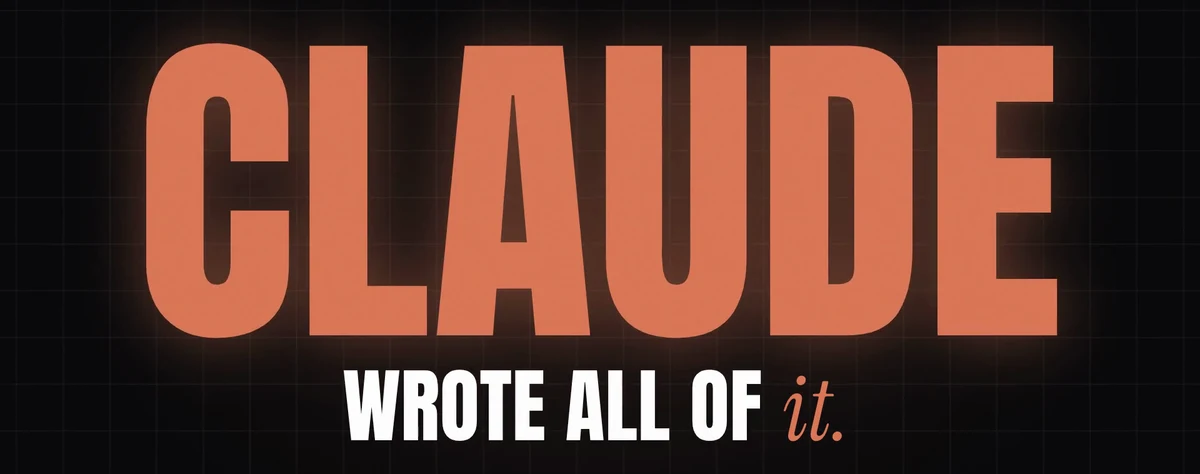
7. Claude wrote all of it. [huge kinetic "CLAUDE" in terracotta]
8. From one prompt. [a real prompt card appears, readable, held 2 s]
9. Watch. Make it red. [the ENTIRE video recolors from terracotta to red in one wipe]
10. Make it faster. [everything runs at double speed for one beat, motion blur]
11. Now try that in After Effects. [a generic "AE"-style tile gets struck through; never Adobe's real logo]
12. Comment MOTION and I'll send you the prompt. [pill CTA with MOTION, cursor taps it]
LOOP: the last frame must match the first frame, and the voice, effects and music must end cleanly, so the video loops with no jump and no click.

RULES
- Motion from frame 0. Nothing static in the first second.
- No random pop-ins: everything enters by whip, mask reveal, morph or camera move.
- Motion blur only on fast whips; easing like cubic-bezier(0.16,1,0.3,1); overlapping arrivals; no bounce, no glitch, no particle spam, no crossfades.
- One animation style per element type. Deterministic, frame-driven only.
- Text safe zone: 9:16 inside x 60-1020, y 220-1480; 16:9 inside 8% margins.

AUDIO
- Voice: Kokoro TTS, voice am_michael, confident premium ad narrator. Render each line separately. The line start times go into one JSON file that is the master clock, and every cut lands on a line start.
- Sound effects synthesized in code on every beat: whoosh on whips, a soft tick on each word of lines 3-5, soft typing on the retype, deep impact on slams, a riser into line 9, a color-wipe swoosh, a click on the CTA.
- A tight minimal music bed around 120 BPM, ducked under the voice, with hits on the slams.
- Master at -14 LUFS, true peak below -1 dBTP, AAC 256k.

WORKFLOW
1. Storyboard with timestamps, entry type and sound effect per beat.
2. Stills at every line start in both formats. Look at them: is anything popping in, is there one clear hero per frame? Fix.
3. Render the first 4 seconds with audio and inspect it frame by frame from the MP4. Fix.
4. Full render, 16:9 first, then 9:16. Make a contact sheet at 2 frames per second, inspect it, and do at least two rounds of fixes.

DELIVER
Save out/video-16x9.mp4 and out/video-9x16.mp4 inside the project folder (H.264 at crf 18-20, yuv420p, faststart; each file under 45 MB: if one is bigger, re-encode it in two passes at the bitrate that fits), plus the contact sheets and the script file. Then tell me where the out folder is, open it for me, and tell me in two lines how I make a new video: which file I edit and what I say to you.

I'm not a programmer: do everything you can yourself and tell me only what I have to do by hand.
Want this working for your business?
- AI agents for your business
- Automations for the work you repeat
- 1:1 consulting calls
Good to know
Make your own video
The script is the only part you have to change. Replace the 12 lines with yours, one idea per line, and say in brackets what should happen on screen. Change the last line to your own call to action. Next time, just tell Claude to render the new script.
Change the look
Swap #D97757 in the LOOK part for your own color, or name other fonts. Keep a single accent color, as in the original.
The filmed-screen look
Want it to look filmed off a laptop? Play the 16:9 version full screen and film the screen with your phone. It's optional: the 9:16 file is ready to post as it is.
The honest read
- The first render usually needs one or two rounds of fixes. Tell Claude what looks wrong and it renders again.
- A long run like this, with test renders and fixes, uses a big part of your Claude limits.
- Every package comes from a fixed, tested list and is checked by its hash, so nothing changes under you. It still runs on your computer with your normal user access, like any app you install: the folder keeps the files tidy, it is not a sandbox.
- Rendering 60 fps video on a laptop CPU takes a while. Keep the computer on until Claude says it's done.
- Remotion's license is free for individuals, for-profit organizations with up to 3 employees and non-profits. Bigger for-profit companies need a company license: see the Remotion license page.
- No Adobe logos: the video only mentions After Effects by name, and the prompt tells Claude never to use Adobe's real logo.
Want this built for your business?
I build AI agents and automations for businesses, and do 1:1 consulting calls. Message me on Instagram with what your business does, and I'll tell you what can be automated.
Message me on Instagram